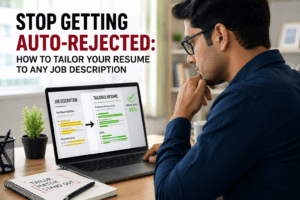
Learning how to write a resume to beat ATS is often the difference between getting interviews and getting ignored. Despite that strong background, many qualified candidates still struggle to get interview calls. Dozens of applications may have been submitted for roles that genuinely match your qualifications. And you have heard almost nothing back. The most likely explanation is not that you are underqualified. Your resume may be getting filtered out by software before a recruiter ever sees it. Small writing and formatting mistakes can work against you without being obvious. Knowing how to write a resume that beats ATS screening is no longer a competitive advantage. In 2026, it is the baseline requirement for getting your application in front of a real person. This guide teaches you exactly how.
If you’re not sure how your current resume would perform, read How to Check and Improve Your Resume Score Before Applying to understand the key factors recruiters and ATS systems evaluate before shortlisting candidates.
This guide explains how ATS systems evaluate resumes. You will learn which writing and formatting choices affect your chances of passing the filter. We will also show how Jobuai’s ATS Aegis™ helps optimize resumes for both ATS software and recruiters who reads it.
How ATS Actually Reads Your Resume (And Why Most Resumes Fail)
Most job seekers imagine the ATS as a simple keyword scanner — feed in the right words and you pass. The reality is considerably more sophisticated, and understanding it changes how you approach every element of your resume.
Modern ATS platforms do three things when they receive your resume:
- Parse your document. The ATS extracts text from your file and attempts to identify your contact information, job history, education, and skills. ATS parsers need clean, readable formatting. Elements such as tables, text boxes, unusual fonts, and image-based content can cause important information to be missed or misread.
- Score your content. The extracted text is compared against the job description using keyword matching, semantic analysis, and increasingly, NLP-based relevance scoring. Your application receives a match score. Applications below the employer’s threshold are eliminated automatically.
- Rank you against other applicants. You are not just assessed against the job requirements — you are ranked against every other application in the pool. A well-optimized resume does not just pass the threshold; it ranks highly among the candidates who do.
Understanding these three stages helps you build a stronger ATS-friendly resume. Your document must be parsed accurately, achieve a strong keyword match score, and demonstrate clear value to recruiters. These are the core requirements for anyone trying to beat ATS screening consistently. Each of those requirements has specific, practical implications for how you write every section of your resume.
Step 1: Master ATS-Safe Formatting to Beat ATS Screening
Formatting is the first ATS test your resume faces — and it is the one most candidates fail without realizing it. A beautifully designed resume with multi-column layouts, icons, infographics, and custom fonts may look impressive to a human eye. To an ATS parser, it is a structural obstacle course that produces garbled, incomplete data — and incomplete data scores poorly.
The Non-Negotiable Formatting Rules
- Single-column layout only. Two-column layouts often confuse ATS software. Information may be read in the wrong order, mixing contact details, work history, skills, and job titles. This is one of the most common resume formatting mistakes because the document still appears correct to human readers.
- No tables, text boxes, or graphics. Content inside tables or text boxes is invisible to many ATS parsers. If your skills section is in a text box, the ATS may register zero skills. If your job titles are in a table, they may not be extracted at all.
- Standard, readable fonts. Use Calibri, Arial, Georgia, or Garamond at 10–12pt for body text. Decorative or script fonts produce character-recognition errors in older ATS systems that still use optical character recognition for parsing.
- Contact information in the document body. Headers and footers are invisible to most ATS systems. Placing your name, email, phone, or LinkedIn URL in a header means the ATS may process your resume without being able to identify who sent it.
- File format: .DOCX first, text-based PDF second. DOCX remains the most universally ATS-safe format. If you submit a PDF, ensure it is a text-based PDF generated from a word processor — not a scanned document or an image-exported file, both of which contain no extractable text.
Quick format test: Copy and paste all content from your resume into a plain Notepad or TextEdit window. If the content reads clearly and logically — correct order, identifiable sections, no missing information — your format is ATS-safe. If it is garbled or key information is missing, you have parsing problems to fix before you submit another application.
Proper formatting is one of the easiest ways to beat ATS screening, because ATS software cannot score information it cannot read correctly.
Step 2: Build Your ATS Keyword Strategy
Keywords are the currency of ATS scoring. The more precisely your resume language matches the language of the job description, the higher your match score. The key word in that sentence is “precisely” — ATS systems are not as good as humans at recognizing synonyms and equivalents. “Revenue growth” and “sales performance improvement” mean the same thing to a reader; they may score as different terms in an ATS.
How to Conduct a Keyword Analysis for Every Application
- Read the full job description three times. The first time for overall understanding, the second time highlighting every specific skill, tool, certification, methodology, and role-specific term, the third time noting which terms are repeated — repeated terms signal higher importance.
Need help identifying the most important keywords? See How to Analyze a Job Description for Must-Have Skills (Step-by-Step + Free Tool) for a detailed framework. - Categorize keywords by type: Include hard skills such as tools, technologies, programming languages, and certifications. Add domain knowledge, professional soft skills, and role-specific phrases taken directly from the job description.
- Confirm coverage in your resume. For each high-priority keyword, identify where it appears in your resume — or where it is conspicuously absent. Missing keywords in high-frequency categories are your highest-leverage optimization targets.
- Include both abbreviated and full-form versions. “Machine Learning (ML),” “Search Engine Optimization (SEO),” “Agile Methodology (Scrum/Kanban)” — include both forms because ATS systems may be searching for either and the human reader who follows will appreciate the clarity.
Where to Place Keywords for Maximum ATS Impact
ATS systems give different weights to keywords depending on where they appear in the document. Keywords placed in your Professional Summary carry significant weight because they help establish your overall positioning. A dedicated Skills section is also important, as ATS platforms actively scan it for relevant capabilities. Within the Experience section, naturally incorporating keywords into achievement-focused bullet points demonstrates real competency rather than simple keyword familiarity. Covering all three zones is the strategy that produces the highest match scores.
Strategic keyword placement is essential if you want to beat ATS screening and improve your chances of being shortlisted.

Step 3: Write a Keyword-Rich Professional Summary
The Professional Summary is the most strategically valuable section of an ATS-optimized resume. It appears at the top of the document, it is parsed first, and it gives you three to five sentences of dense, high-value keyword real estate before you even reach your work history. It is also the section most candidates waste — either by omitting it entirely or by filling it with generic statements that could apply to any candidate in any industry.
A Professional Summary that beats ATS and impresses humans simultaneously has five components:
- Your target job title or professional identity (mirroring the language of the role you are targeting)
- Your years of relevant experience in this domain
- Three to five high-priority keywords from the job description, used naturally in context
- One specific, quantified achievement or differentiator
- A brief statement of your current career focus or the type of role you are targeting
Weak summary (fails ATS and humans): “Motivated and results-driven professional with extensive experience seeking a challenging role that leverages my strong communication and leadership skills in a dynamic environment.”
Strong summary (beats ATS, impresses humans): “Senior Digital Marketing Manager with 9 years of experience driving performance marketing strategies across B2B SaaS and e-commerce verticals. Proven track record in paid acquisition (Google Ads, Meta), SEO strategy, and marketing automation (HubSpot, Marketo). Delivered 3.2x ROAS improvement across a $4M annual ad spend. Seeking a senior marketing leadership role where data-driven growth strategy and creative execution intersect.”
The second summary contains the specific job title, experience quantity, five distinct keywords, a quantified achievement, and a clear role direction — all in four sentences.
Step 4: Build a Text-Based, Categorized Skills Section
Many ATS platforms have a dedicated skills extraction module that specifically identifies and catalogues skill data. If your skills section is organized as a visual rating chart, a graphic bar system, or an icon-based display — all of which are popular in downloaded resume templates — the system will fail to extract your skills entirely. From the ATS perspective, you have listed no skills.
Your skills section must be plain text. Organize it into clear categories: Technical Skills, Tools and Platforms, Certifications, and (optionally) Core Competencies. Populate each category with keywords taken directly from the job description and related market terminology. Place this section near the top of your resume — either immediately after your Professional Summary or immediately after your Contact Information — to ensure it is one of the first things the ATS skills module encounters.
Step 5: Write Achievement-Based Experience Bullets
Your Work Experience section is where your ATS match score is validated — or undermined — by the quality of your content. Duty-based bullet points (“Responsible for managing the marketing team”) score poorly in advanced ATS systems and provide nothing of value to the human recruiter who reads after the algorithm. Achievement-based bullet points (“Led a 7-person marketing team to achieve 47% YoY revenue growth through a multichannel digital strategy”) contain multiple keywords, demonstrate measurable impact, and signal the competency the interviewer is looking for.
The formula for every experience bullet that beats ATS and impresses recruiters is: Action Verb (specific, strong) + Specific Context (including domain-relevant keywords) + Measurable Outcome (quantified where possible).
| Duty-Based (Fails ATS + Bores Recruiter) | Achievement-Based (Beats ATS + Impresses Recruiter) |
|---|---|
| Managed a team of software engineers | Led 8-person Agile development team delivering 3 product releases per quarter, reducing average sprint velocity deviation by 22% |
| Responsible for customer success management | Owned customer success for 40+ enterprise accounts ($12M ARR), achieving 97% annual renewal rate through proactive QBR and health score monitoring |
| Worked on data analysis projects | Built Python-based data pipeline processing 500K+ daily transactions, reducing reporting latency from 48 hours to 4 hours using AWS Lambda and Redshift |
| Handled social media accounts | Grew LinkedIn organic reach by 340% in 12 months through a data-driven content strategy, generating 1,800 qualified inbound leads at 60% lower CPL than paid channels |
Step 6: Customize for Every Application — Not Once in a While, Every Time
The single most common and most costly mistake in resume strategy is submitting the same resume to every application. A resume optimized for “Product Manager” will score poorly against a posting for “Director of Product Development.” A resume with “customer success management” language will underperform against a posting that consistently uses “client success operations.” Every job posting represents a slightly different keyword set, a slightly different set of priorities, and a slightly different threshold for what constitutes a competitive match score.
Customizing your resume does not mean rewriting it from scratch for every application. It means:
- Updating your Professional Summary to incorporate the specific language and priorities of this posting
- Adjusting your Skills section to mirror the specific tool and methodology terminology used in the JD
- Refreshing two or three experience bullets to surface language that directly echoes this role’s top requirements
Done from a strong base resume, this targeted customization takes 15–20 minutes per application and produces significantly higher ATS match scores than any generic submission.
How ATS Aegis™ by Jobuai Does All of This Automatically

Everything in this guide represents the best practice for manual resume optimization. Done thoroughly and consistently, it will measurably improve your ATS scores and your interview rate. But done manually — for every application you send — it is time-consuming, technically precise, and prone to the gaps that come from evaluating your own work without an external benchmark. This is exactly the problem that Jobuai’s ATS Aegis™ solves.
ATS Parsing Audit:
ATS Aegis™ parses your resume exactly as leading ATS platforms do — identifying every formatting flaw, structural issue, and parsing risk that would cause your document to be misread or scored incorrectly before you submit.
Real-Time Keyword Gap Analysis:
Paste any job description and ATS Aegis™ instantly calculates your keyword match percentage and identifies every high-value missing term — with specific guidance on where and how to incorporate it naturally.
AI-Powered Achievement Bullet Rewriting:
For every experience bullet that reads as a duty rather than an achievement, ATS Aegis™ generates a specific, quantified rewrite — calibrated to your actual experience and the keywords this role values most. One click converts a duty description into a competitive achievement statement.
Professional Summary Generator:
Based on your resume and the target job description, ATS Aegis™ generates a role-specific, keyword-dense Professional Summary that replaces whatever generic statement was there before — in seconds.
One-Click Role Tailoring:
Apply to a new role and ATS Aegis™ tailors your entire resume to the new job description automatically — keyword alignment, summary update, bullet optimization, and formatting verification all in one operation.
ATS-Safe Export:
Download your optimized resume as a clean, ATS-safe .DOCX or text-based PDF — formatted to pass every major ATS platform and ready for submission anywhere.
Section-by-Section Score:
See precisely how every section of your resume — Summary, Experience, Skills, Education, Formatting — scores against ATS benchmarks, so you know exactly where your highest-leverage improvements are.
Try ATS Aegis™ free at Jobuai — upload your resume, get your complete ATS compatibility score, and receive AI-powered optimization guidance in under 60 seconds.
Your Resume Is Not a Document — It Is a Match Score Waiting to Be Optimized
Every time you submit an application, your resume is immediately converted into a data set that an algorithm evaluates against the job’s requirements. How that algorithm scores your data determines whether a human being ever sees the story you have spent your career building.
The gap between your actual qualifications and the score that algorithm assigns you is almost always fixable — with the right format, the right keywords, the right structure, and the right language in the right sections. Writing a resume that beats ATS is not gaming the system. It is communicating your real value in the language the system was designed to understand.
ATS Aegis™ is how you close that gap — automatically, precisely, and fast enough to optimize every application you send rather than just the ones where you have three hours to spare.
Get your free ATS score at Jobuai — and start submitting resumes that are built to beat the filter and earn the interview.
FAQ’s
A. A resume beats ATS when it achieves a strong keyword match (typically 75%+) and is formatted so the system can accurately read and categorize your information. It must be optimized for both ATS algorithms and human recruiters to maximize your chances of getting shortlisted.
A. A simple way to test ATS compatibility is to paste your resume into a plain text editor and check whether the content remains clear and well-structured. For a deeper analysis, Jobuai’s ATS Aegis™ provides an ATS score, keyword match insights, missing terms, and formatting feedback against a specific job description in under 60 seconds.
A. Yes, tailoring your resume can significantly improve ATS performance. A customized resume often scores 15–25% higher than a generic one because it aligns more closely with the keywords and skills in the job description. Tools like ATS Aegis™ help identify keyword gaps and suggest targeted improvements for each application.
A. Only use resume templates that are specifically ATS-friendly. Many visually attractive templates rely on columns, tables, text boxes, or graphics that ATS software may struggle to read correctly. Tools like Jobuai’s ATS Aegis™ can help verify compatibility and provide access to ATS-compliant templates.
A. There is no fixed keyword count for ATS success. The best approach is to naturally include important keywords in your summary, skills section, and experience descriptions while keeping the content readable. Avoid keyword stuffing, as modern ATS systems can detect it and may penalize your resume.