Have you ever spent hours perfecting your resume, submitted it for your dream job, and then heard nothing but crickets? You check all the boxes, your experience is solid, yet the rejection (or worse, the silence) keeps coming. What if the problem isn’t you, but a robot that never even let your application see the light of day? Welcome to the hidden first gatekeeper of the modern job search: the Applicant Tracking System (ATS). ATS-Friendly Resume Guide 2025 In 2025, crafting a resume that appeals to both intelligent software and human recruiters is not just an advantage—it’s an absolute necessity for any serious job seeker in India.
The competition is fiercer than ever.With thousands of applications for a single role at companies like TCS, Infosys, HDFC, or Flipkart, recruiters rely on ATS to manage the deluge. This means your beautifully designed, visually creative resume might be reduced to a garbled mess of text by the software, instantly landing it in the “reject” pile. This guide is your definitive manual to navigating this digital landscape. We’ll demystify ATS, provide a step-by-step blueprint for the perfect ATS resume format, and arm you with a keyword strategy that gets you shortlisted. Let’s ensure your next application doesn’t just get submitted, but gets seen.
What is an ATS and Why Should Every Indian Job Seeker Care?
An Applicant Tracking System (ATS) is a software application used by companies to automate the hiring process. Think of it as a digital HR assistant that collects, sorts, scans, and ranks every resume that comes in. Its primary job is to filter out unqualified candidates and present a manageable shortlist to human recruiters.
The Shocking Reach of ATS in the Indian Job Market
If you think ATS is only for MNCs, think again. The adoption has permeated every sector:
- Over 90% of large Indian corporations (including most Fortune India 500 companies) use some form of ATS.
- Mid-sized companies and startups, especially in tech hubs like Bangalore, Hyderabad, and Pune, heavily rely on these systems to handle high-volume recruitment.
- Even sectors like BFSI (Banking, Financial Services, and Insurance), FMCG, and healthcare now use ATS for efficient talent screening.
The simple truth is: if you’re applying online through a company portal, LinkedIn, Naukri, or Indeed, your resume is almost certainly going through an ATS first.
How the ATS “Reads” Your Resume: The Parsing Process
Understanding this is key to beating the system. When you upload your resume, the ATS “parses” it—converting the visual document into plain, machine-readable text. It then extracts information (name, contact details, skills, experience) into standardized fields in its database. The software scores your resume based on how well it matches the job description. Resumes with higher scores move forward; low-scoring ones are archived, often without a human ever being notified. Common parsing failures happen with complex layouts, graphics, and unconventional formatting, which is why your resume format is your first line of defense.
The Non-Negotiable Formatting Rules for an ATS-Friendly Resume
Formatting is not about aesthetics for the ATS; it’s about functionality. Your goal is to make the parsing process as smooth as possible.
File Format: The #1 Choice and The Dangerous Ones
Always submit your resume as a .docx file or a plain-text PDF. Here’s the breakdown:
- .docx (Microsoft Word): The gold standard. Most ATS are optimized to parse .docx files flawlessly.
- PDF: A safe choice, but only if it’s a text-based PDF. A PDF saved as an image or with heavy design elements will fail. When in doubt, use .docx.
- Avoid at all costs: .pages (Apple), image files (.jpg, .png), and Google Docs links. These are parsing nightmares.
Layout and Structure: Keep It Simple and Linear
Forget about fancy two-column layouts, text boxes, and sidebars. The ATS reads from top to bottom, left to right. A single-column, reverse-chronological format is the most universally safe bet. Use standard, clear section headings like:
“Professional Experience,” “Education,” “Skills,” “Certifications.” Avoid creative titles like “My Journey” or “Where I’ve Been.”
Fonts, Headers, and Footers
- Fonts: Use common, sans-serif fonts like Arial, Calibri, Georgia, or Times New Roman. Size should be between 10-12 pts.
- Headers & Footers: Do not place critical contact information (phone, email) in the header or footer. Some ATS cannot read this data. Keep it in the main body of the document.
- Special Characters: Avoid using symbols like arrows (→), checkmarks (✓), or icons to denote points. Use standard bullet points (* or -) instead.
Mastering the ATS Keyword Strategy: Speak the Robot’s Language
Keywords are the currency of the ATS. This is where you strategically align your resume with the job description to boost your match score.
How to Identify the Right Keywords
Your primary source is always the job description (JD). Create a “keyword bank”:
- Hard Skills: Technical proficiencies (e.g., Python, SAP, Digital Marketing, Financial Modeling, Tally).
- Soft Skills: Often included in JD requirements (e.g., Team Leadership, Stakeholder Management, Agile Methodology).
- Tools & Certifications: Specific software (Salesforce, AutoCAD) or certifications (PMP, CFA, AWS Certified).
- Job Titles & Synonyms: Include the exact title from the JD (e.g., “Senior Software Engineer”) and its common variants (“Lead Developer,” “Tech Lead”).
- Industry & Domain Terms: For an Indian BFSI role, terms like “NPA,” “KYC,” “Core Banking,” or “SEBI Regulations” are critical.
Where and How to Place Keywords for Maximum Impact
Don’t just list keywords in a “Skills” section. Contextualize them throughout your resume:
- Skills Section: Have a dedicated, clearly labeled section. Use a mix of “Hard Skills” and “Soft Skills” as subheadings.
- Professional Experience: This is the most powerful place. Weave keywords into your bullet points. Instead of “Managed a team,” write “Led a cross-functional Agile team of 5 to develop a new feature, improving user retention by 15%.”
- Summary/Objective: Place 3-4 of the most critical keywords near the top of your resume in your professional summary.
- Education & Certifications: Mention relevant coursework or certifications that contain keywords.
Important: Never “keyword stuff”—repeating a word unnaturally 20 times. Modern ATS can penalize this. Use synonyms and natural language. For more on crafting powerful bullet points, explore our guide on interview preparation and resume writing.
Common ATS Resume Mistakes That Get You Instantly Rejected
Avoid these pitfalls that act as instant red flags for the system.
Mistake 1: Using Graphics, Charts, and Logos
That beautiful infographic showing your skill levels? The company logo you added next to your job title? The ATS will see them as blank spaces or garbled code. Stick to text only. Save the design for your portfolio or a resume you hand directly to a human.
Mistake 2: Unconventional Section Names
Creativity backfires here. The ATS is programmed to look for standard labels. If you name your “Work Experience” section as “Professional Odyssey,” the software might not categorize that data correctly, leading to a lower score. Be literal.
Mistake 3: Spelling and Grammar Errors
This is crucial. If the JD spells a skill “Analytics” and you write “Analitics,” the ATS will not recognize it as a match. Meticulously proofread, especially for technical terms. Use tools, but also do a manual check.
Mistake 4: Sending the Same Generic Resume Everywhere
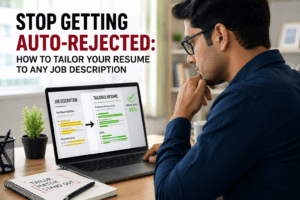
The most effective ATS resume optimization is tailored for each application. A one-size-fits-all resume will have a generic keyword match score. Always, always tweak your resume to mirror the specific JD you are applying for. It takes time, but it’s the single most effective tactic.
ATS-Friendly Resume Templates and Final Checklist
To put it all together, here is a blueprint and a checklist to run your resume through before hitting “submit.”
Simple ATS Resume Template Structure
Header (in main body): Full Name | Phone Number | Email | LinkedIn Profile URL | City, State
Professional Summary: 3-4 lines incorporating target job title and key skills.
Professional Experience: Reverse-chronological order. For each role: Job Title, Company, Dates (Month, Year). Use 3-5 bullet points starting with strong action verbs and keywords.
Education: Degree, University, Year of Passing. GPA if strong (optional).
Skills: Categorized list (e.g., Programming Languages, Tools & Technologies, Methodologies).
Certifications (Optional): Relevant certifications only.
Pre-Submission ATS Checklist
- File Format: Saved as .docx?
- Layout: Single-column, clean, standard headings?
- Font: Common (Arial/Calibri), 10-12 pt size?
- Contact Info: In main body, not header/footer?
- Keywords: Mined from JD and placed in Skills & Experience sections?
- Spelling: Checked, especially for technical terms matching the JD?
- No Graphics: Removed all images, charts, logos?
- Parsing Test: Can you copy-paste your resume text into Notepad and is it still readable and in order?
Key Takeaways and Your Next Step
Beating the applicant tracking system is the first critical battle in your job search war. Remember: the ATS is a logical, rules-based gatekeeper. By giving it exactly what it wants—a simple format, machine-readable text, and the right keywords—you unlock the door to the human decision-maker.
- Format for Function: Prioritize parsing over prettiness. Use a .docx, single-column layout.
- Keyword Strategy is King: Tailor every resume. Mirror the language of the job description.
- Audit for Mistakes: Avoid creative sections, graphics, and spelling errors that cause instant rejection.
- Test Your Resume: Use the simple Notepad copy-paste test to see what the ATS sees.
Mastering your ATS resume gets you the interview. But what happens next? The real test begins with the human interaction. Are you prepared to articulate your experience, handle tough questions, and present yourself with confidence?
This is where JobUAI becomes your essential partner. Don’t let your perfectly crafted resume go to waste in the interview room. Practice with our AI-powered mock interviews tailored for roles in the Indian market—from software developer positions in Bangalore paying ₹12-20 LPA to marketing manager roles in Mumbai. Get instant feedback on your answers, tone, and body language. Optimize every stage of your job search.
Ready to move from shortlisted to selected? Create your free JobUAI account today and transform your interview preparation. For more in-depth guides on navigating the Indian job market, visit our career blog.
FAQ’S
A. An ATS-friendly resume is a resume designed to pass Applicant Tracking Systems by using simple formatting, relevant keywords.
A.Many companies use ATS software to filter resumes before recruiters review them. An ATS-friendly resume increases your chances of getting shortlisted for interviews.
A. The reverse chronological format is the most recommended for ATS-friendly resumes because it clearly presents your recent experience, skills, and education.